1. Choose the Dome Diameter
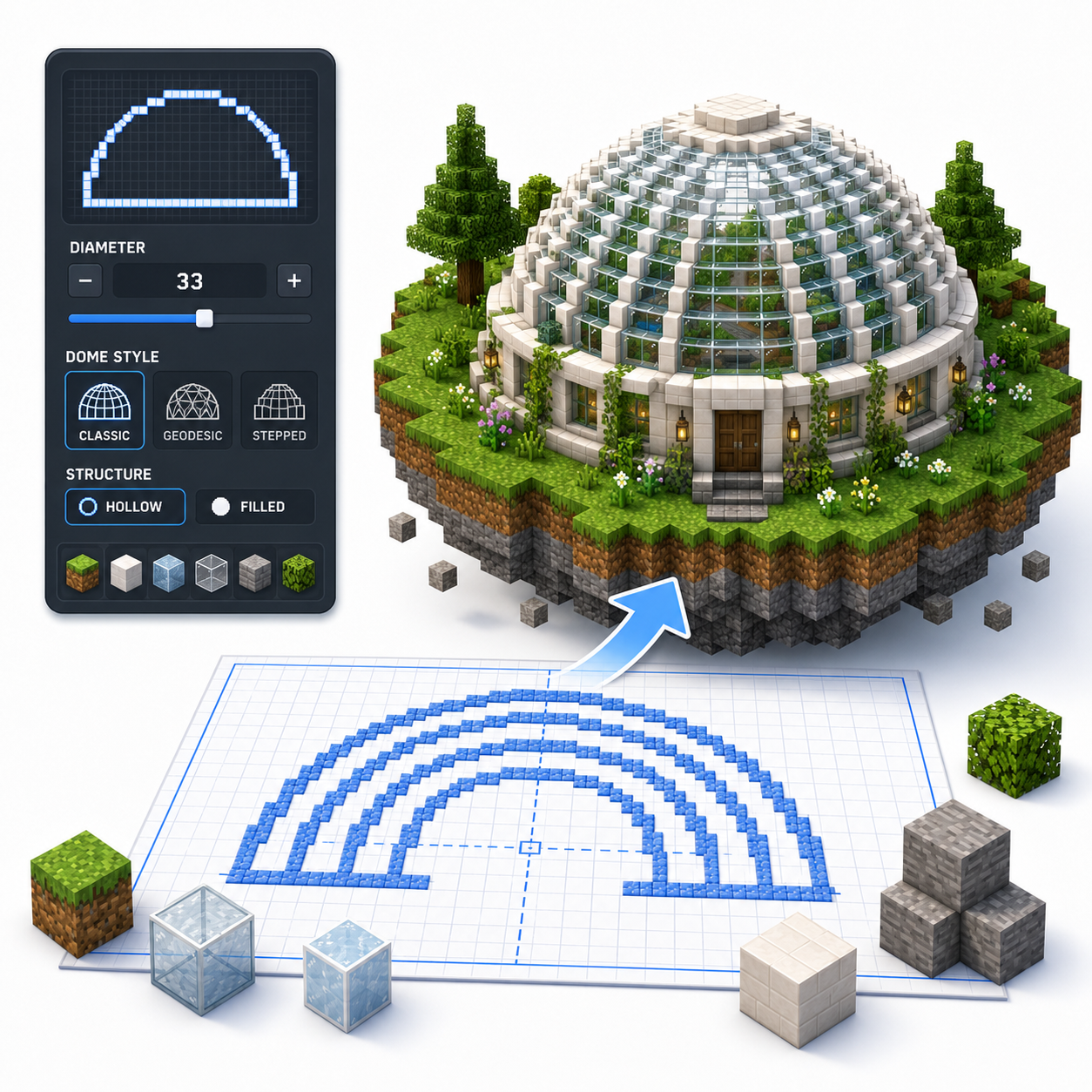
Drag the size control or enter the desired width of the dome. Confirm that the base circle fits the roof, room, or foundation where you plan to build it.
Layer-by-layer dome blueprint
Generate a Minecraft dome blueprint layer by layer for roofs, bases, greenhouses, arenas, and other rounded builds.

 Loved by 6.5M+ Minecraft users
Live block grid
How it works
Drag the size control or enter the desired width of the dome. Confirm that the base circle fits the roof, room, or foundation where you plan to build it.
Use Hollow mode for roofs, greenhouses, observatories, and enclosed rooms. Filled mode is useful for terrain forms or solid decorative structures, but it requires substantially more blocks.
The generator displays the circle or ring needed at each height. Check where each layer moves inward so the dome remains smooth and centered.
Download the PNG blueprint, mark the center of the base, and build upward one layer at a time. Check the dome from the side regularly to identify misplaced blocks.
Tool features
Create dome roofs and rounded structures with layer previews, hollow and filled modes, center guides, and downloadable blueprint files.
Move through the dome layers to see the exact ring or filled pattern needed at each height above the base.
Use hollow mode for architectural shells, glass roofs, and observatories, or filled mode for terrain and solid decorative forms.
Use center lines to keep every dome layer aligned with the base, especially when the shape narrows toward the top.
Save the current layer as a PNG reference or export a .schem file for compatible Minecraft Java editing workflows.
FAQ
A Minecraft dome generator creates a layer-by-layer blueprint for a rounded roof or hemisphere. It shows the block pattern required at each height, helping you build a symmetrical dome without guessing the curve.
A sphere is a complete three-dimensional ball, while a dome is generally the upper portion of a sphere or another curved roof shape. Domes are commonly placed on top of circular or polygonal buildings.
Choose the base diameter, review the generated layers, and build the largest base ring first. Continue upward while following each progressively smaller layer.
Yes. The blueprint defines block placement rather than material type, so you can build it using glass, stained glass, stone, copper, concrete, or other blocks.
Most architectural domes should be hollow because only the outer shell is needed. Filled domes use far more blocks and are usually reserved for terrain or solid decorative forms.
The correct size depends on the usable interior space and the building below it. Medium domes often start around 15-25 blocks wide, while large greenhouses and observatories may require a much wider base. Treat these as suggested ranges, not fixed standards.
Use the same base diameter for the top of the building and the first dome layer. Confirm that both patterns share the same center before building upward.
A generated dome can be adapted by stopping at a chosen height or using only selected layers. The resulting structure may form a shallow roof, curved canopy, or partial arch.
Mark the center and the four main directions on the base. Build opposite sections together and verify that every layer remains aligned with the original center.
Testimonials
See how Minecraft builders, streamers, survival players, and new creators use the generator to plan accurate circles, ovals, spheres, and domes faster.
The Minecraft Circle Generator is an absolute game-changer! I was struggling to create perfect circles for my builds, but this tool made it so easy. Just input the diameter and it gave me a clear blueprint to follow. The filled and outline options are perfect for different types of projects. Highly recommend it!
★★★★★I love using the Circle Generator for my Minecraft creations! It simplifies the process of building ovals and spheres, making my designs look way better. The PNG download feature is fantastic, allowing me to keep the blueprint handy while I build. This tool has really improved my gameplay!
★★★★★As a Minecraft architect, precision is key. The Circle Generator has been a lifesaver, providing pixel-perfect blueprints for all my circular designs. I particularly appreciate the layered sphere feature, which gives a clear view of each level. It is easy to use, and I cannot imagine building without it!
★★★★★I started using the Minecraft Circle Generator for my streams, and my viewers love it! It takes the guesswork out of building circles and domes, which makes for smoother gameplay. The ability to switch between outline and filled modes is a major plus. This is a must-have tool for any Minecraft enthusiast!
★★★★★This tool is simply amazing! I often struggle with making round shapes in Minecraft, but the Circle Generator provides precise blueprints that I can easily follow. The common sizes guide helped me decide on the best diameter for my builds. It has saved me so much time and frustration!
★★★★★
As a new player, I found the Minecraft Circle Generator incredibly helpful. The step-by-step guide made it easy to understand how to build circles and domes. I love that I can create blueprints for different shapes and sizes, and the tool is super user-friendly. Definitely a great resource!
★★★★★